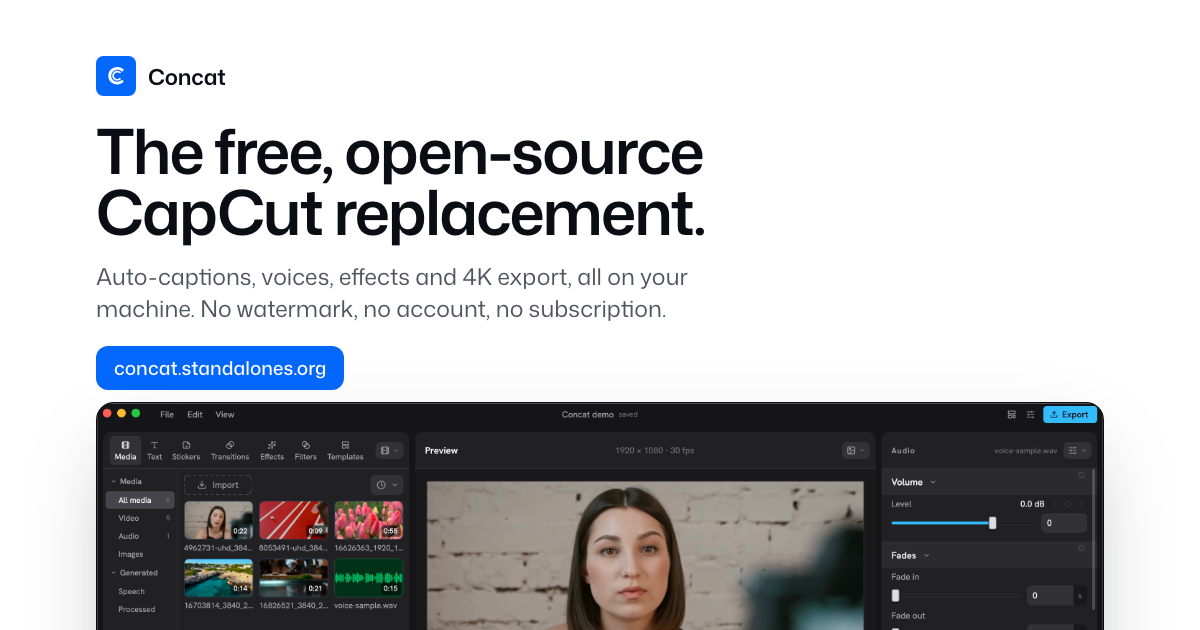
Concat is a free, open-source, local-first video editor positioned as a CapCut alternative—with auto-captions, TTS/voice cloning, background removal, keyframes, effects, and multi-track cutting up to 4K. Searches for concat video editor should not confuse it with OpenCut (a different browser-first CapCut-like project). Concat is the Rust-native desktop/mobile app from jub0t/Concat.
This review uses the official site concat.standalones.org and the GitHub README. Concat is openly labeled beta: it works, and it still has edges.
What makes Concat different
- No watermark, no account, no subscription—AGPL-3.0 code, sponsorship optional
- 100% local: footage and AI models stay on disk after optional one-time model downloads
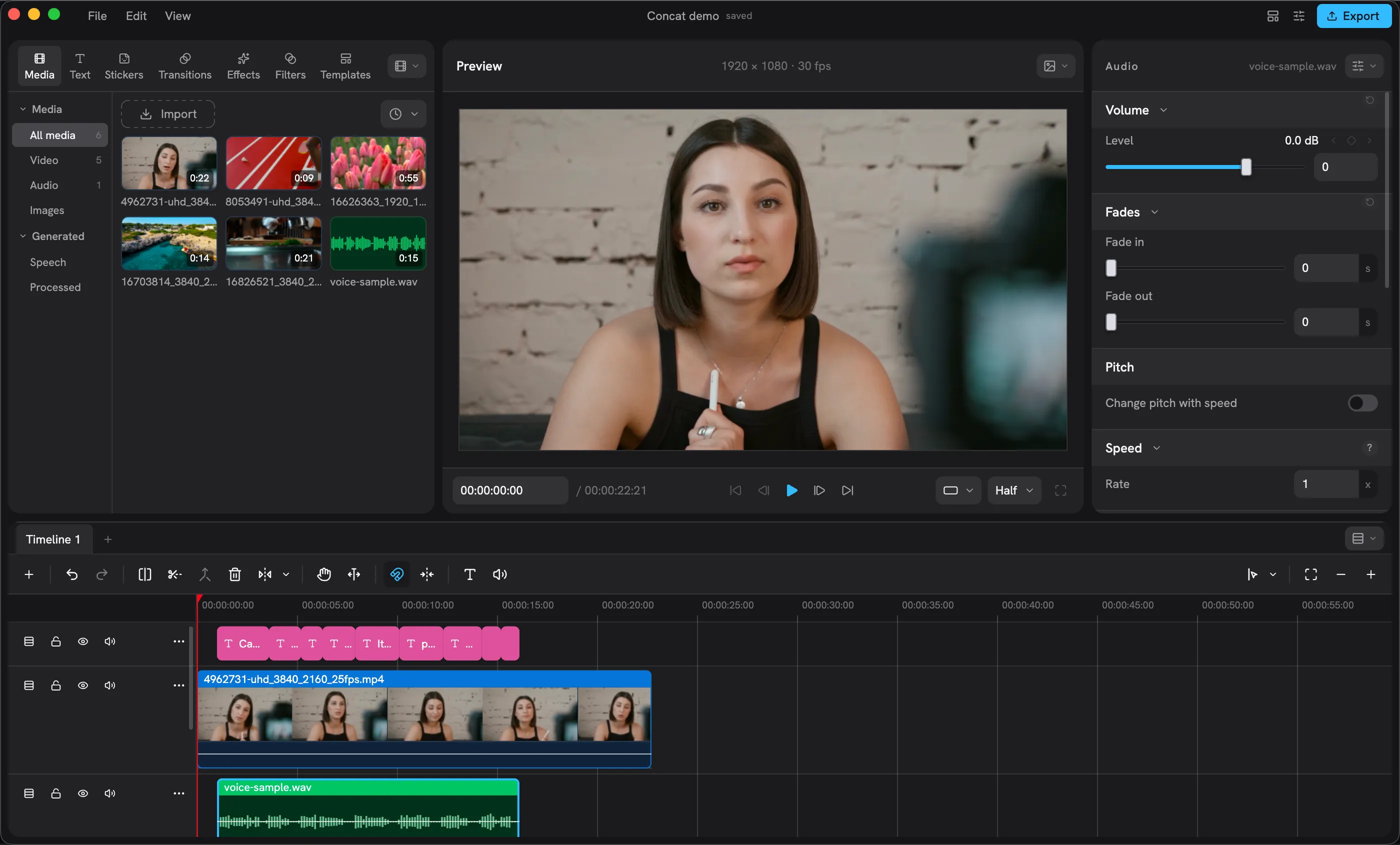
- CapCut-shaped feature set: captions, TTS, cutout, titles, effects, multi-track timeline
- Cross-platform: Windows, macOS, Linux, Android; iOS/iPadOS via sideloaded IPA (beta)
- Scriptable: JSON-RPC API from the open app; MCP server planned; gRPC/CLI from source builds
Feature checklist (from official materials)
Per the Concat website and README:
- Auto-captions via local Whisper, styled on the timeline
- Text-to-speech + voice cloning from built-in voices or a short recording
- Background removal for people/objects, or paint a mask
- Keyframes with a curve editor (position, scale, rotation, opacity, volume, effect params)
- ~100 effects, filters, and transitions, GPU-rendered
- Export: H.264, HEVC, AV1 up to 4K 60, 10-bit colour, no watermark
- Native Rust engine with GPU compositor, proxies, hardware decode
- 25 languages in the app UI
The site advertises large GitHub traction (on the order of 8.5K+ stars and 170K+ release downloads at the time of the marketing copy; live GitHub stars were ~9.1K when we checked—numbers move).
Install and version notes
Current website builds point at v0.2.7 (GitHub release published around Oct 13, 2026). Downloads include Windows setup/MSI, macOS Intel/Apple silicon DMGs, Linux AppImage/deb/rpm/Arch packages, Android APK, and iOS IPA—with checksums on the site.
Practical caveats from official docs:
- Windows builds may be unsigned (SmartScreen: More info → Run anyway)
- macOS builds are unsigned; clear quarantine once with
xattr -dr com.apple.quarantine /Applications/Concat.app - iOS is sideload-only beta, not App Store
Concat vs OpenCut (do not mix them up)
| Concat | OpenCut | |
|---|---|---|
| Focus | Local native CapCut replacement | Often discussed as browser/desktop CapCut-like editor |
| License | AGPL-3.0 | Different project (commonly MIT in roundups) |
| AI features | Local Whisper captions, TTS, cutout | Separate feature set—check that project’s docs |
| Repo | jub0t/Concat | Not the same codebase |
Agent and API angle
Beyond the GUI, Concat exposes editing actions over a local JSON-RPC API while the app is open. Third-party write-ups note that an MCP server is advertised on the repo but may not be fully shipped yet—treat MCP as roadmap unless your build’s docs say otherwise. Builds from source can add gRPC and a CLI for headless create/import/export flows. For AI-agent experimenters, that API surface is the interesting part: the same clamps and refusals as the window apply to scripts.
Hardware expectations
Official guidance (summarized): minimum any 64-bit CPU from ~2013+, 4 GB RAM, ~500 MB storage, no GPU required; for smoother 1080p editing and quicker 4K exports, prefer 6+ cores, a Metal/DirectX 12/Vulkan GPU, and 16 GB RAM. Optional caption/voice/cutout models download once from Settings and then work offline.
Who should try Concat
- Creators leaving CapCut over watermarks, accounts, or cloud processing
- Short-form editors who want captions/TTS/cutout offline
- Developers/agents experimenting with JSON-RPC video editing
Skip or wait if you need a polished, signed App Store/desktop notarized release today, or a mature MCP server (still planned per public write-ups).
Bottom line
The concat video editor (jub0t/Concat) is a rising AGPL CapCut alternative: local AI captions and voices, multi-track 4K export, and no paywall—still beta. Download from the official site or GitHub Releases, and keep OpenCut mentally separate.
Sources
- Concat official website
- GitHub: jub0t/Concat
- Concat GitHub Releases
- Fervor AI: Concat JSON-RPC / agent API analysis
Sources verified Oct 18, 2026 (Pacific Time)