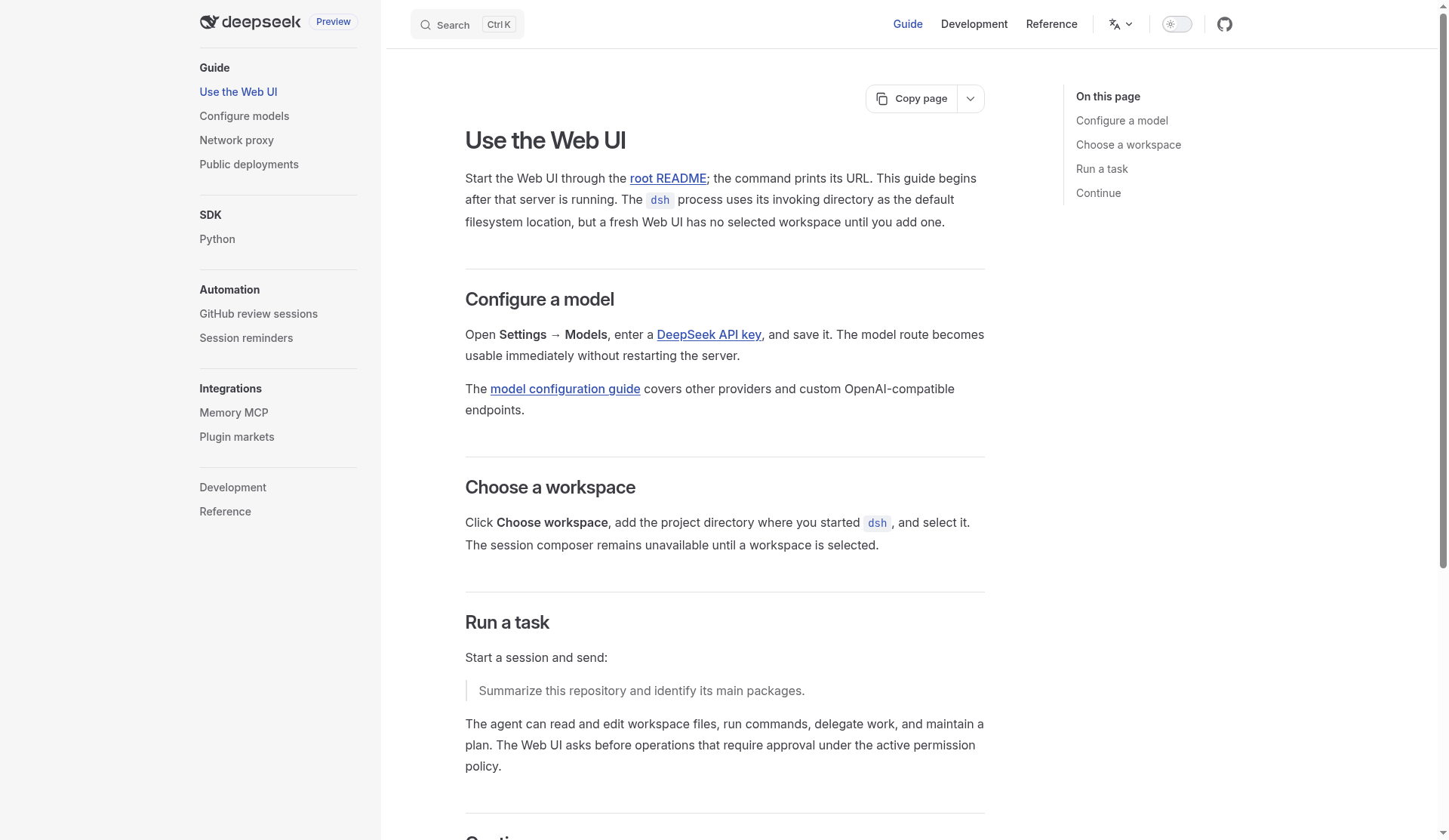
DeepSeek Harness (dsh) is DeepSeek AI’s open-source agent runtime built on an everything-is-a-plugin architecture. Searches for deepseek harness usually want what it is, how it differs from a chat UI, and how to launch the Web UI. It is MIT-licensed, in active developer / public preview, and powered by the Cordis framework.
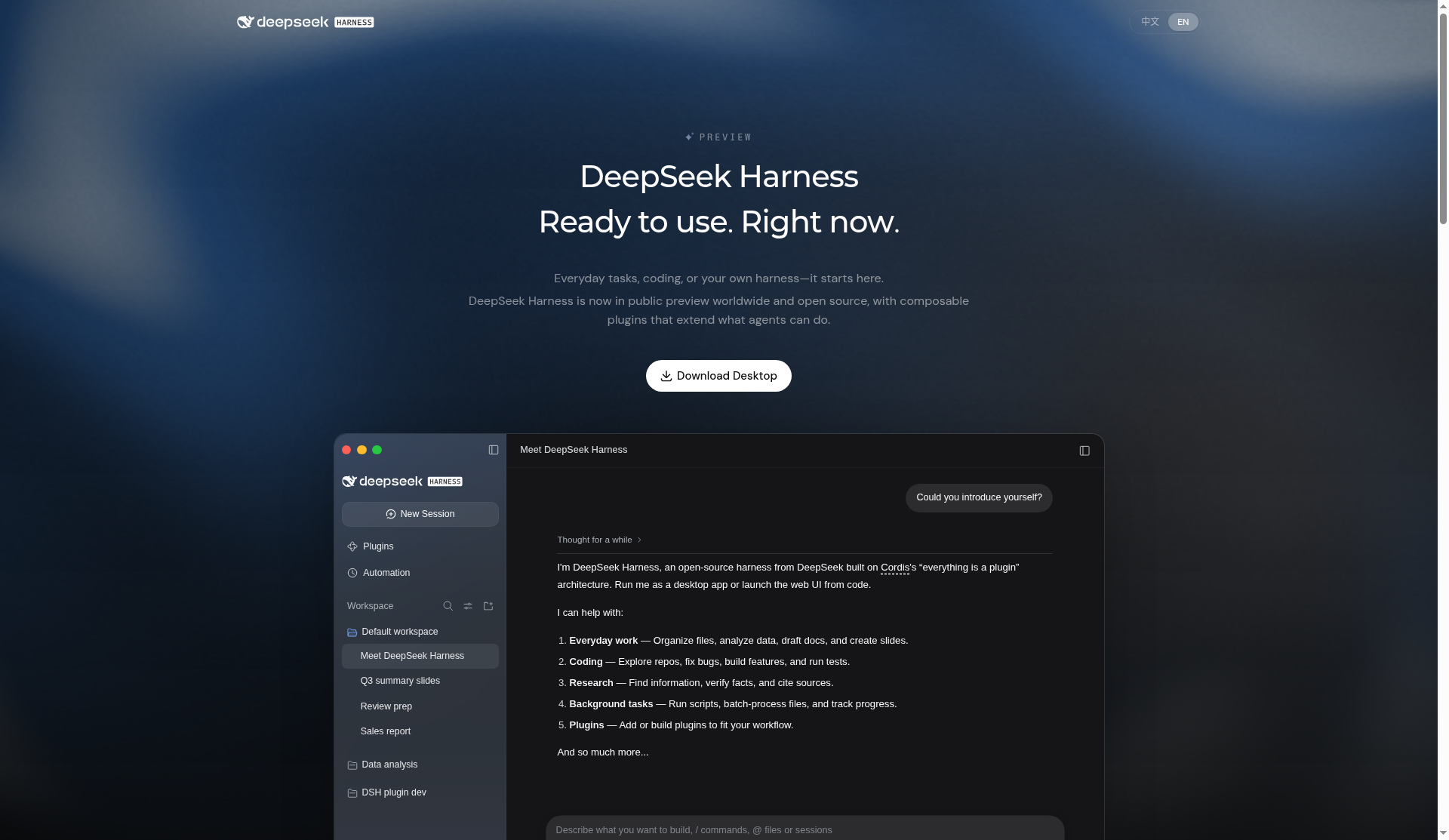
This review summarizes the deepseek-ai/deepseek-harness README, architecture docs, user guide, and the product page at deepseek.com/en/harness/. Preview status means APIs can break; read SAFETY.md before giving the agent shell access.
What DeepSeek Harness is
Rather than shipping one fixed agent loop, dsh treats model adapters, the tool registry, session log, sandbox, agent loop, and UI as replaceable plugins mounted into a shared Cordis context. You compose a running system from ordered profiles and bundles, then patch rows with YAML instead of forking a monolith.
Shipped profiles include web, headless, sdk, sdk-minimal, and acp. The product page also advertises desktop downloads (macOS Apple silicon and Windows 64-bit), community plugins, and experimental features such as agent teams, scheduled tasks, and voice input.
Key features
- Plugin-first core: extend by mounting plugins; registrations unwind cleanly when plugins unload
- Profiles & bundles: stack
dsh-basewith web/headless/SDK/ACP app bundles; dump config withdsh --profile web --dump-config - Web UI: local agent chat with workspace selection, model settings, approvals, and session streaming
- SDKs: TypeScript and Python paths that launch the same profile/patch model rather than a private fork of the loop
- Extension seams: documented places to add LLM adapters, tools, sandboxes, webhooks, and UI conversation nodes
- Discoverability: publish plugins with the
dsh-pluginGitHub topic; Discord and Discussions for support
How to try or install
Fastest path (npm): install Node.js, then run:
npx @deepseek-ai/dsh web
By default the Web UI listens at http://127.0.0.1:3080 and opens in your browser (use --no-open over SSH). In the UI, open Settings → Models, add a DeepSeek API key (or other providers per the model guide), choose a workspace directory, then start a session.
From source: clone the repo, pnpm install, pnpm run build, then pnpm dsh web. Desktop builds are offered from the official harness page for users who prefer an Electron app with a bundled runtime.
Docs live at deepseek-harness.github.io/deepseek-harness/.
Profiles, bundles, and “everything is a plugin”
Architecture docs describe a boot-time plugin tree: a profile stacks ordered bundles, then applies cordis.patch.yml, home patches, and CLI --patch overlays. dsh-base supplies shared model adapters, tools, persistence, sandbox/approval policy, settings, credentials, and telemetry for most profiles. Web, headless, SDK, and ACP app bundles layer the carrier you actually run. sdk-minimal is the deliberate exception with an explicit complete tree.
That design is why DeepSeek can ship a Web UI, an Electron desktop app, JSON-RPC SDK servers, and automation-oriented ACP modes from one codebase: swap the profile, keep the plugin seams. Contributors add behavior by registering on documented context keys—LLM adapters on ctx.llm, tools on ctx.tools, sandboxes on ctx.sandbox—instead of patching a privileged core.
First session checklist
After npx @deepseek-ai/dsh web (or desktop install), configure a model under Settings, select the workspace directory that should be readable/editable, and send a bounded task such as summarizing the repo. The Web UI prompts for approval when the active permission policy requires it. For production-facing experiments, read the public-deployments guide before exposing the UI behind a reverse proxy, and keep preview expectations in mind: breaking changes are explicitly warned.
The Cordis design paper (arXiv:2608.25512) is linked from the README if you want the programming-model background behind spatiotemporal composability; it is optional for end users but useful for plugin authors.
Who it’s for
- Engineers building custom agent products who need swappable tools, models, and UI—not only a single vendor chat window
- Teams standardizing on DeepSeek models but wanting an open, inspectable harness
- Plugin authors who want a Cordis-based runtime with a public cookbook for adapters and tools
How it compares to “just an API wrapper”
Many agent demos hard-code a tool list and a while-loop around one model. DeepSeek Harness aims higher: session events are durable facts, tools and sandboxes are swappable seams, and UI carriers share the same boot story. That overhead only pays off if you expect to grow plugins, change providers, or embed the runtime in another product via SDK/ACP profiles.
If you only need a one-off scripted agent, a thinner SDK may suffice. If you want an open, DeepSeek-aligned workspace with a path to custom tools and desktop distribution, dsh is the project to evaluate—starting from the Web UI, then reading architecture docs before you invent your own plugin layout.
Caveats
- Developer preview: README warns of compatibility-breaking changes
- Safety: agents can read/edit files and run commands subject to approval policy—review SAFETY.md and keep sandboxes tight
- Learning curve: profiles, bundles, and Cordis patches are powerful but denser than “paste an API key into a chatbot”
- Model keys still required: the harness is the runtime; you supply model credentials and choose providers
Sources
- DeepSeek Harness product page
- GitHub: deepseek-ai/deepseek-harness
- DeepSeek Harness documentation site
- Architecture documentation
- Cordis paper (arXiv:2608.25512)
Sources verified Oct 20, 2026 (Pacific Time)