A PHP version checker is any method that reports which PHP release your site or server is running—CLI, a phpinfo() page, your host’s control panel, or (with caution) an online scanner. Site owners need this because unsupported PHP branches stop receiving security fixes and leave WordPress, Laravel, and custom apps exposed.
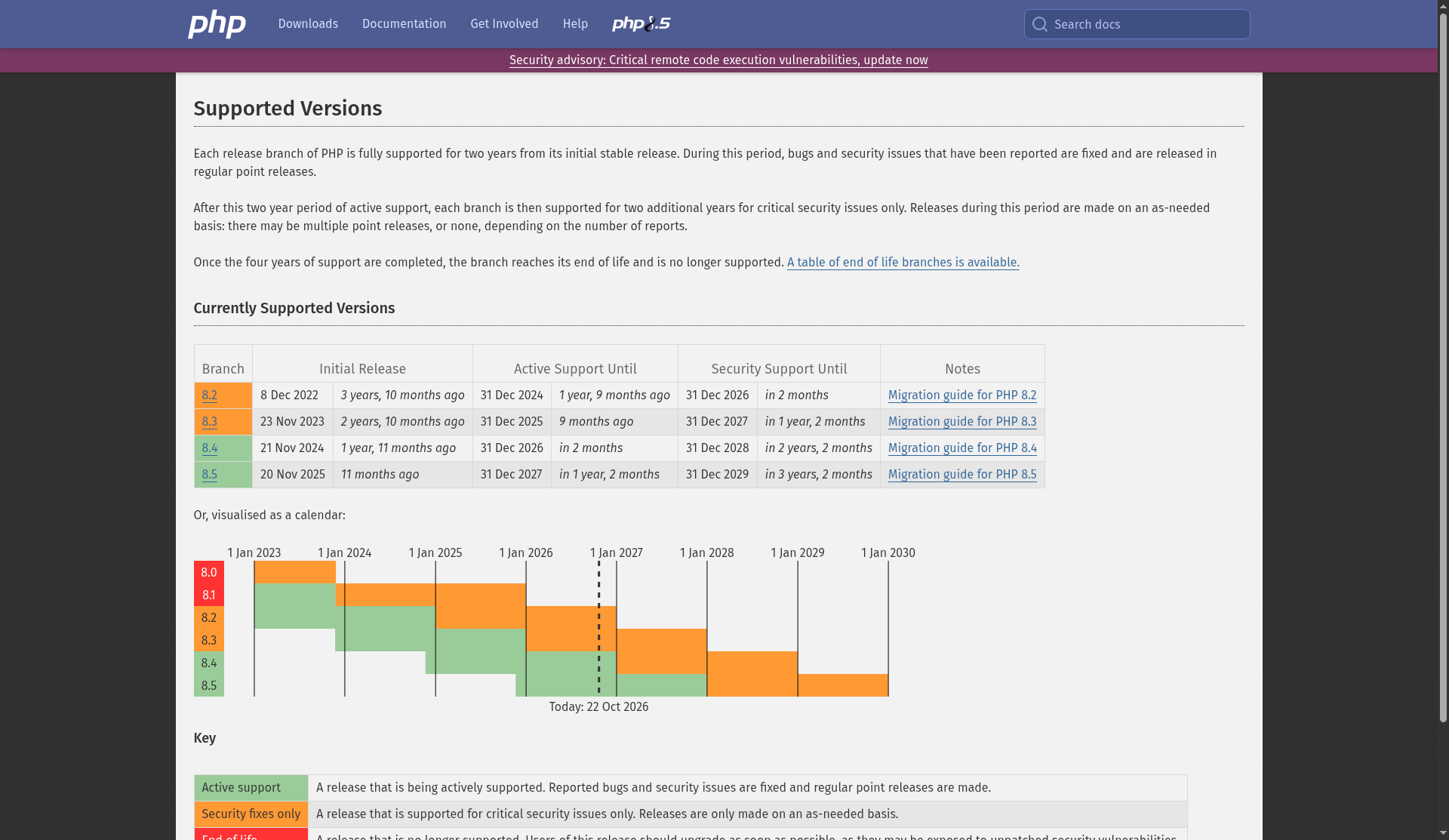
The authoritative place to see which branches still get fixes is the official PHP Supported Versions page on php.net.
Why PHP version matters
According to php.net’s support policy, each release branch gets about two years of active support (bug and security fixes), then roughly two more years of critical security fixes only. After that the branch is end-of-life: no patches, even for known vulnerabilities.
As listed on the supported-versions table (check the live page for the latest dates), current branches in the 8.x line include 8.2 through 8.5, each with published active-support and security-support end dates. Running an EOL branch means you depend entirely on your host or yourself for backports—something most shared hosts will not do forever.
Newer PHP versions also bring performance and language improvements, but security and support windows are the first reason to check.
What a PHP version checker actually reports
- Major.minor.patch — e.g. 8.3.x vs 8.4.x
- Sometimes SAPI (CLI vs FPM vs Apache module) and build options
- With
phpinfo(), a large dump of extensions,php.inipaths, and environment data
Knowing the number lets you compare against php.net’s support calendar and against your CMS/plugin minimum requirements.
How to check PHP version (preferred methods)
1. Command line: php -v
On a server or local machine with PHP installed:
php -vThe first line prints the version. Note: CLI PHP can differ from the version used by your web server (FPM/Apache). Always confirm the version that serves HTTP for the site.
2. Official phpinfo()
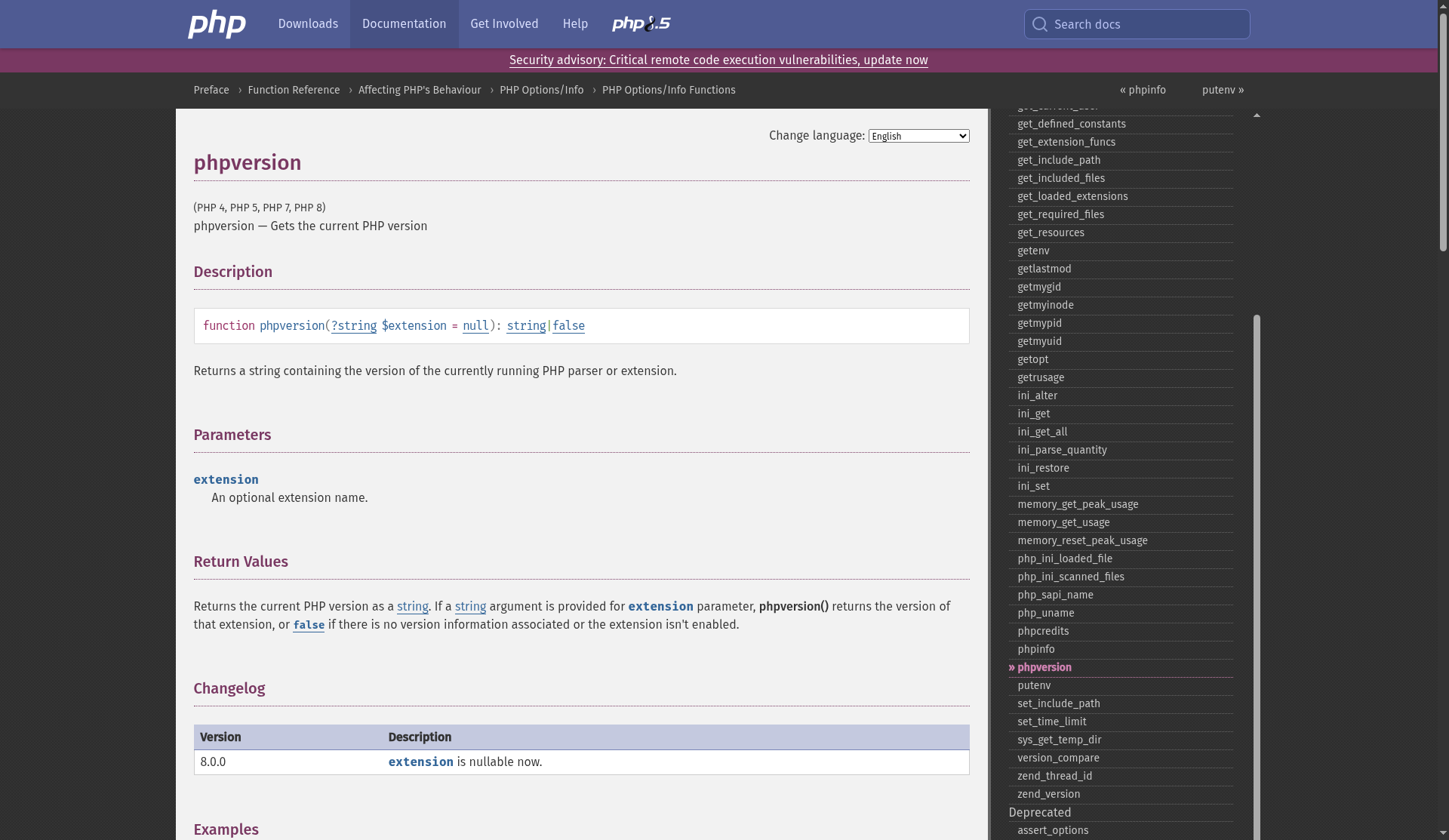
The phpinfo() manual page documents PHP’s built-in diagnostic function. A minimal checker script:
<?php
phpinfo(INFO_GENERAL);
INFO_GENERAL is enough to see the version and build basics. Full phpinfo() (default INFO_ALL) also prints environment variables, modules, and other sensitive configuration.
Security note: Deploy a phpinfo page only temporarily, protect it (IP allowlist / auth), and delete it when finished. Leaving a public phpinfo page helps attackers map your stack.
3. Hosting control panel
cPanel, Plesk, Forge, and most managed WordPress hosts show “PHP version” under MultiPHP or Runtime settings. Prefer changing version there over random third-party “fix my site” gadgets.
4. Framework / CMS diagnostics
WordPress Site Health, Laravel’s environment tooling, and similar admin screens often display the runtime PHP version without exposing a full phpinfo dump.
Online PHP version checkers — use carefully
Browser-based checkers that ask for a URL or a pasted config can be convenient, but they introduce risks:
- Do not paste production secrets, database passwords, full phpinfo HTML, or
.envcontents into random sites - A remote “scan my domain” tool only sees what you expose publicly; it cannot replace CLI or panel checks
- Prefer official docs and your host’s tools; treat unknown checkers as untrusted
If you only need the version string, local php -v or a short-lived, locked-down phpinfo page is safer than uploading diagnostics to a stranger’s form.
After you know the version
- Compare it to Supported Versions
- If you are on security-only or EOL, plan an upgrade path (staging site → plugin/theme compatibility → cutover)
- Re-test critical flows (login, checkout, forms) after switching branches
- Remove temporary diagnostic scripts
Quick FAQ
Is “PHP 8” enough detail? No—8.1, 8.2, and 8.3 have different end-of-life dates. Check major.minor at minimum.
Why does CLI say 8.3 but the website acts like 8.1? Different binaries. Check the web SAPI via phpinfo or the host panel.
Do I need every phpinfo field? Usually not. Version + whether required extensions are loaded is enough for most upgrades.
Sources
- PHP: Supported Versions
- PHP Manual: phpinfo()
- PHP: Unsupported / EOL branches
- PHP: Downloads and current releases
Sources verified Oct 21, 2026 (Pacific Time)