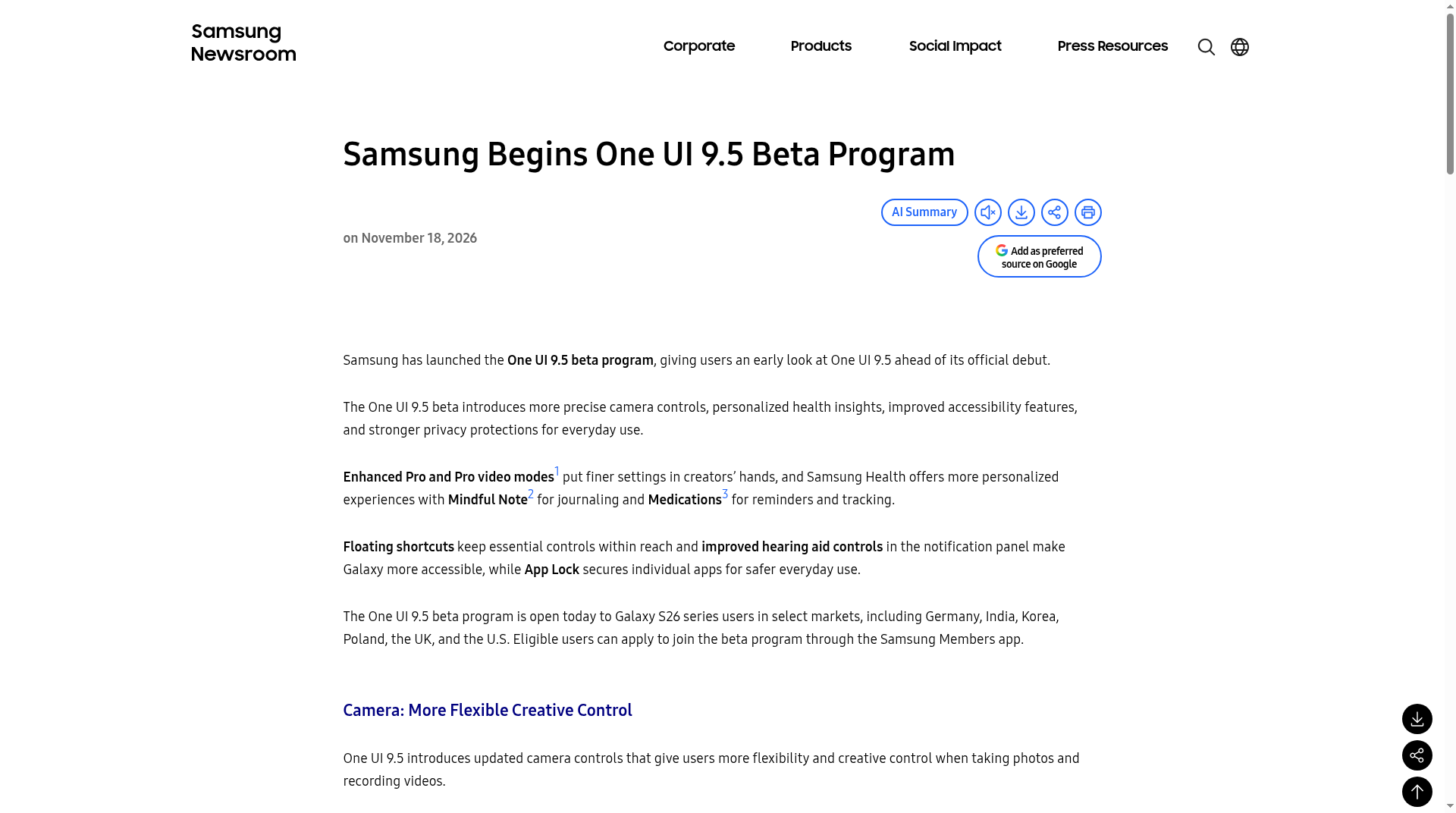
Samsung has opened the One UI 9.5 beta to eligible Galaxy phones, according to official Global and US Newsroom posts dated November 18, 2026. The company describes the program as an early look at One UI 9.5 ahead of the software’s official debut, with new camera controls, Samsung Health tools, accessibility shortcuts, and per-app locking. This overview sticks to what Samsung has published: the feature list, who can enroll, how to join through the Samsung Members app, and the official caveats around beta software.
What Samsung announced on November 18
The Samsung Global Newsroom post, dated November 18, 2026, says the One UI 9.5 beta program is open “today” to Galaxy S26 series users in Germany, India, Korea, Poland, the UK, and the U.S. Eligible users apply through the Samsung Members app. The US Newsroom post is dated the same day but uses slightly different timing language: it says the program “will be available starting November 17 on the Galaxy S26 series.” Both official pages agree on the device family, the six markets (the developers site says “Republic of Korea” rather than “Korea”), and enrollment through Samsung Members. Neither newsroom post lists individual S26 SKUs, so this article uses Samsung’s own phrase, “Galaxy S26 series.”
Samsung has not published a date for the stable One UI 9.5 release. The official One UI Beta Program FAQ on Samsung Developers says a specific release date cannot be provided; the release version will come after beta feedback is analyzed and improvements are implemented.
Official features in the One UI 9.5 beta
The newsroom posts group the beta around four areas: camera control, Samsung Health, accessibility, and privacy.
Camera
One UI 9.5 adds updated camera controls that Samsung says put finer settings on one screen. Enhanced Pro and Pro video modes get customizable controls and presets. A footnote on both official posts limits those Pro modes to models that already support them; Pro Lite and Pro Video Lite are excluded. The default camera also gets improved controls and a zoom bar so key settings stay together, instead of being spread across multiple menus. The US post additionally mentions “more detailed monitoring tools” for fine-tuning in the enhanced Pro modes.
Samsung Health: Mindful Note and Medications
Samsung Health gains two features in the official announcement:
- Mindful Note (the Global Newsroom name; the US post’s body also shortens it to “Mind Note”) is a journaling space for free writing or guided prompts. Samsung’s footnote says it is not supported on Galaxy Watch.
- Medications lets users add prescriptions, vitamins, and supplements, set personalized reminders, and track adherence. Samsung says availability may vary by market, and it states clearly that the service does not provide medical advice of any kind—medical decisions should be made with a healthcare professional.
Accessibility
One UI 9.5 adds a dedicated floating shortcut for frequently used controls. Hearing aid controls move into the notification panel, where users can adjust volume and choose which device sounds are routed to the hearing aid. The Global post lists notifications, ringtones, and alarms; the US post lists notifications, calls, and alarms.
App Lock
App Lock can secure individual apps with biometric authentication or the device’s screen lock. When an app is locked, Samsung says its notification content and widgets remain hidden, even if someone else can use the phone.
Treat this list as the official beta headline features, not a complete changelog. The developers FAQ also notes that One UI features can differ depending on the device enrolled in the beta, and that beta software may be incomplete.
Who can join
Putting the official pages together, enrollment is limited to:
- The Galaxy S26 series, as named in the November 18 newsroom posts
- Users in Germany, India, Poland, Korea / the Republic of Korea, the United Kingdom, and the United States
- A Samsung Account, plus the Samsung Members app
The developers site is more cautious than the news posts on the edges: the One UI Beta Program is “available only for specific devices, OS versions, and countries,” and “beta program period and compatible devices vary by country.” If your phone is not offered the beta card in Samsung Members, official documentation does not give a workaround. There is no fee to participate, but Samsung says you are responsible for mobile-data costs to download the software or upload error logs, and it recommends Wi-Fi for the download.
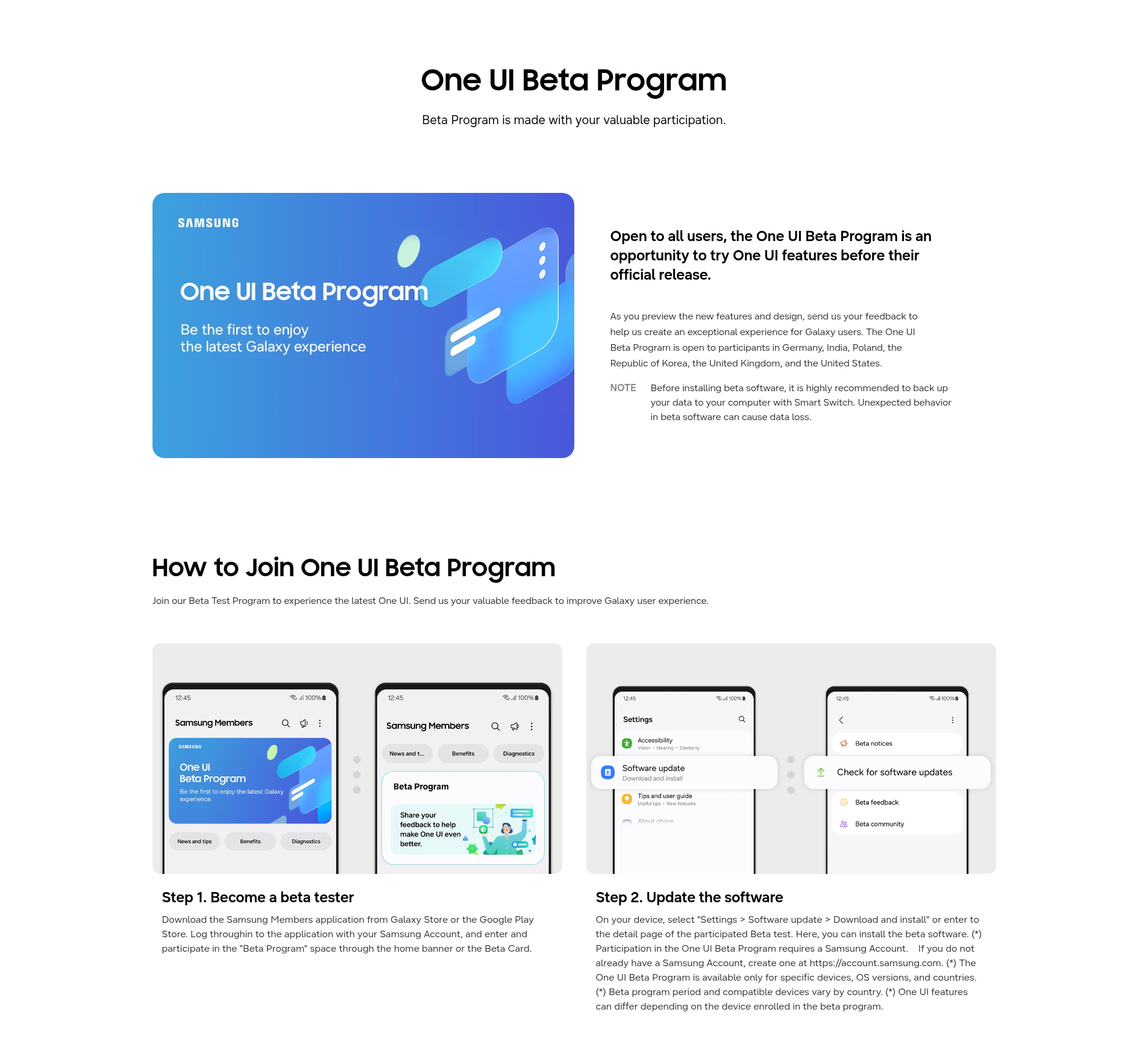
How to join, according to Samsung
The official how-to lives on the Samsung Developers One UI Beta Program page. In summary:
- Back up first. Samsung “highly recommended” backing up your data to a computer with Smart Switch before you install beta software, because unexpected behavior can cause data loss.
- Become a beta tester. Install Samsung Members from the Galaxy Store or Google Play, sign in with your Samsung Account, and open the Beta Program space from the home banner or the Beta Card. The FAQ’s shorter version is: Notice / Banner / Beta card → “Registration for One UI Beta Program,” then submit the participation form. You are enrolled only if you meet the criteria.
- Update apps, then install the beta. Samsung says to update all apps to the latest version first, to avoid compatibility issues. Then go to Settings > Software update > Download and install, or open the detail page of the beta test you joined and install from there.
Beta updates are rolled out gradually. Being accepted into the program does not guarantee that the download appears immediately. If installation fails and the phone becomes unusable, Samsung’s official advice is to get help resetting it at a Samsung Service Center.
Feedback, risks, and how to leave
This is pre-release software. Samsung’s official FAQ says beta software is for testing, may contain bugs or behave unexpectedly, may be incomplete, and is provided “as is” and “as available,” without warranty. Use is at your own risk, including the risk of data loss. Participation is personal and non-commercial, under the program’s terms.
Feedback goes through Samsung Members. To report a bug, use Participated Beta test > Beta feedback > Send feedback (the FAQ also describes the shorter path “Participated Beta test > Send feedback”). Samsung asks you to submit the report within three minutes of hitting the issue and to leave Members running until it confirms the report was sent, which can take up to five minutes, so logs are included. UX suggestions go to Participated Beta test > Beta Community > Suggestions during the public beta period.
To withdraw: Samsung Members > Settings > Beta program settings > Withdraw from beta program. To remove the beta software itself, Samsung says to roll back to the previous release with the Smart Switch PC app by choosing Downgrade. That rollback resets the device and removes data generated during beta testing; if you backed up with Smart Switch first, you can restore afterward. If you enrolled but never installed the beta, withdrawing in Members leaves you on the current official version. Reinstalling the beta after a reset is possible only while you remain enrolled.
Should you install the One UI 9.5 beta?
If you have a Galaxy S26 series phone in one of the six listed markets and you want an early look at App Lock, the new Samsung Health tools, or the camera changes, the official path is straightforward: back up with Smart Switch, enroll in Samsung Members, and wait for the gradual software update. If the phone is your only daily driver and you cannot accept possible bugs or a reset during rollback, official documentation is equally clear that you can skip the beta and wait for the stable release, whose date Samsung has not announced.
This overview is based on official Samsung documentation: the November 18, 2026 Global Newsroom announcement, the US Newsroom announcement dated the same day, and the Samsung Developers One UI Beta Program page.
Sources verified Nov 25, 2026 (Pacific Time): Samsung Global Newsroom, “Samsung Begins One UI 9.5 Beta Program,” dated Nov 18, 2026; Samsung US Newsroom, “Samsung Begins One UI 9.5 Beta Program,” dated Nov 18, 2026, stating availability starting Nov 17 on the Galaxy S26 series; Samsung Developers, “One UI Beta Program,” including how to join, backup and rollback guidance, and the FAQ.