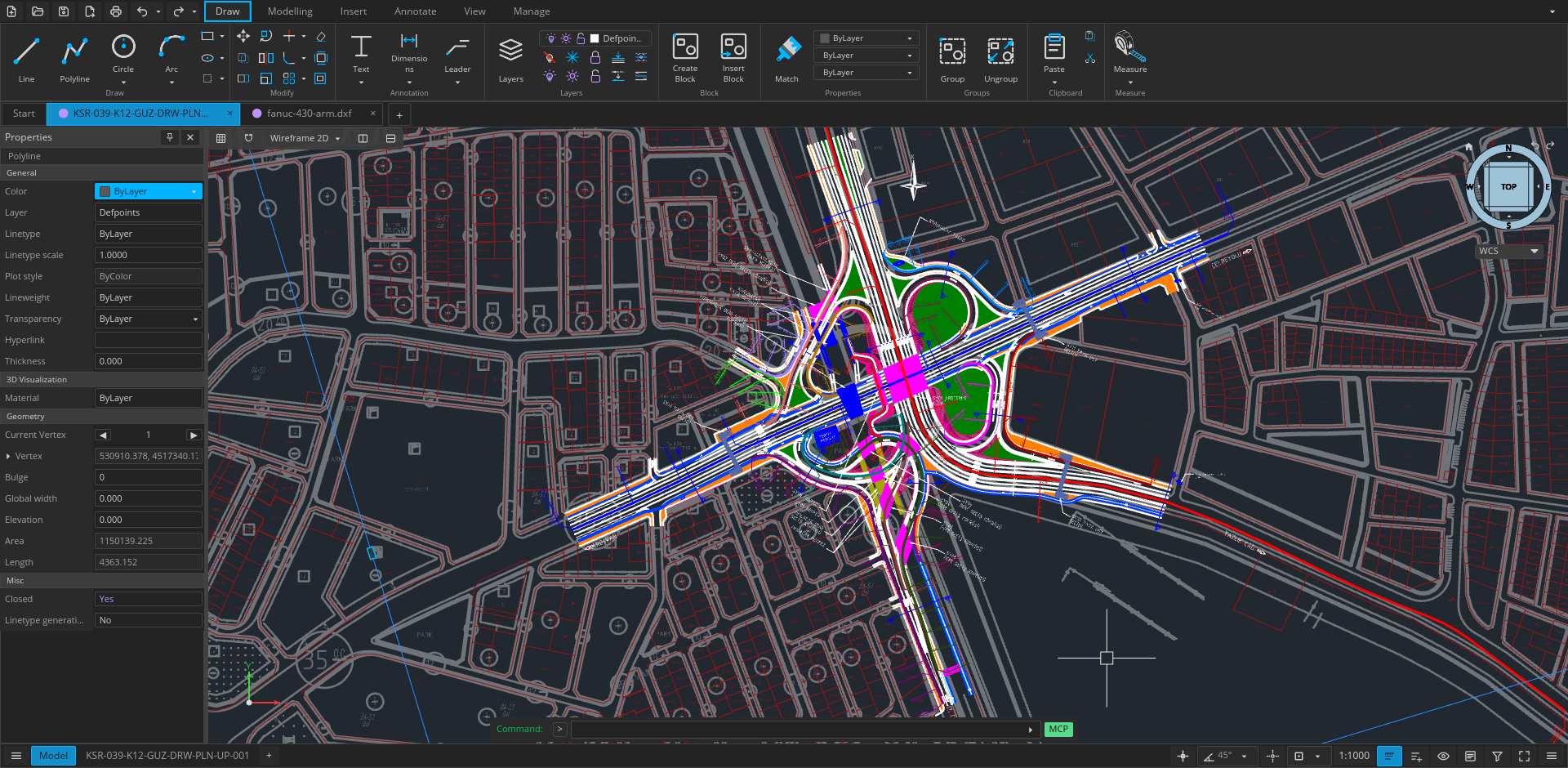
Open CAD Studio (also searched as open cad studio / OpenCADStudio) is an open-source 2D drafting and 3D modeling application written in Rust. It targets a practical gap in free CAD: native DWG and DXF read/write without a conversion service, with a shared core for desktop and browser (WebAssembly).
This review is based on the public GitHub README and the hosted browser site. Open CAD Studio is not affiliated with Autodesk; AutoCAD and related names are trademarks of their owners and are mentioned only for compatibility context.
What it is
The project describes a cross-platform CAD app for technical drawing, layouts, and solid modeling. UI is built with iced; GPU viewports use wgpu. License: GPL-3.0. Upstream development is led by Hakan Seven and contributors (HakanSeven12/OpenCADStudio), with a browser launch point at opencadstudio.com / opencad.studio.
File formats
Documented interchange highlights:
| Format | Support (per README) |
|---|---|
| DWG | Read/write; save targets R14–2018 |
| DXF | Read/write; save targets R14–2018 |
| BAK / SV$ | Open backups and autosaves |
| OBJ / LandXML | Import (meshes / survey points) |
| STL / STEP AP203 | Export 3D mesh data |
| Plot on desktop | |
| CTB / STB | Plot style tables |
Desktop vs browser
- Web app — no install; open/save through the browser file dialogs; good for trying the core editor quickly
- Desktop — Windows, Linux, and Apple Silicon macOS release builds; file associations, printing, PDF output, plugins, scripts, and headless automation
Build-from-source path documented in the README:
git clone https://github.com/HakanSeven12/OpenCADStudio.git
cd OpenCADStudio
cargo build --release --bin OpenCADStudio
Feature highlights
- 2D drafting with snaps, layers, blocks, xrefs, hatches, dimensions, paper space
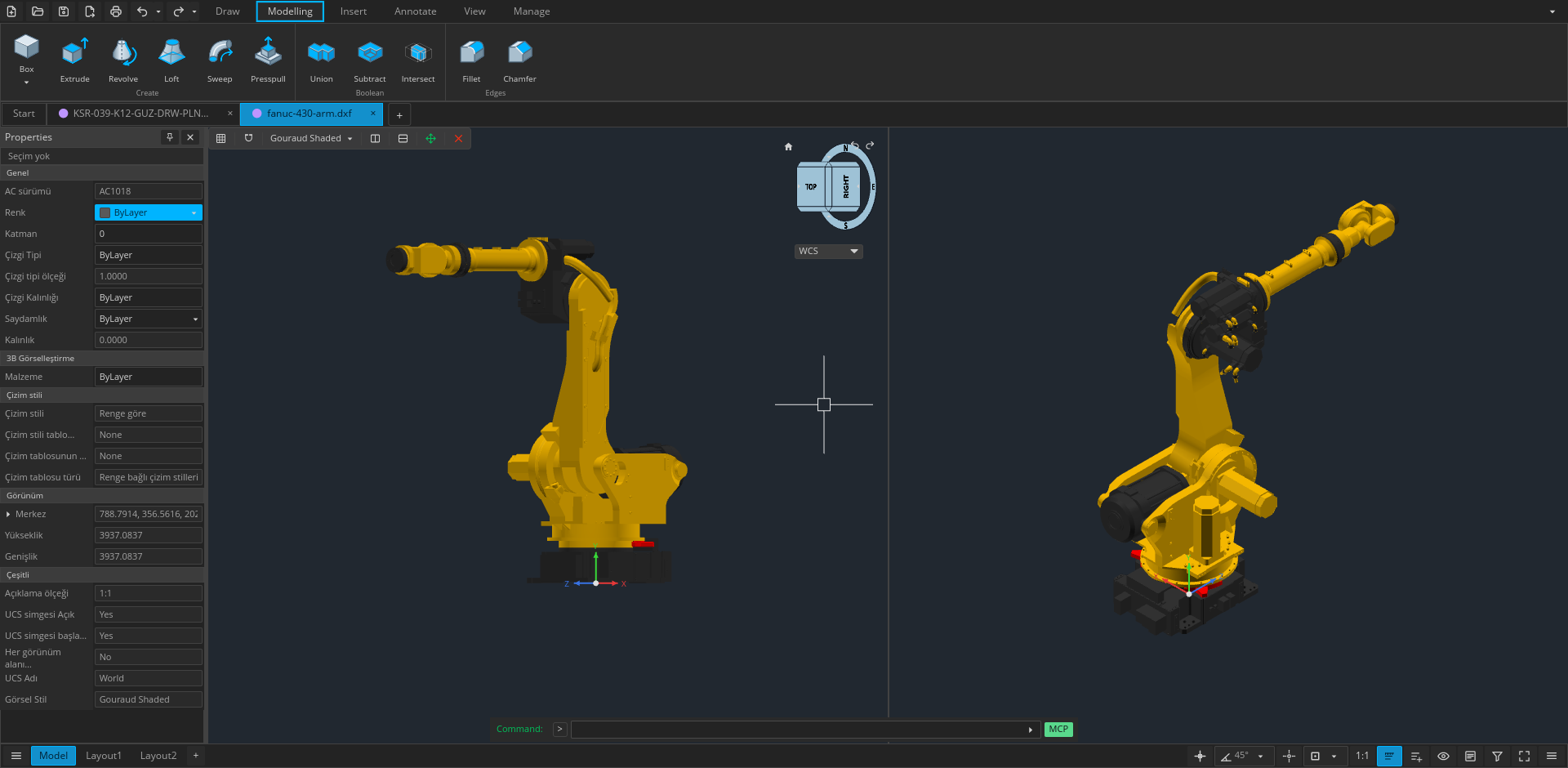
- Kernel-backed 3D (primitives, extrude/revolve/sweep/loft, Booleans, ACIS tessellation notes)
- GPU-accelerated viewports
- Plugins, command scripts, and a line-based JSON automation API
How it compares to other open CAD
Relative to parametric solid modelers (for example Fusion-style timelines or other Rust CAD experiments), Open CAD Studio’s differentiator is drawing-file fidelity: native DWG/DXF versions aimed at R14–2018 interoperability with the rest of an AutoCAD-compatible toolchain. Relative to LibreCAD/QCAD-class 2D tools, it adds GPU viewports and documented 3D solid operations. Pick it when DWG round-trips matter more than a mature CAM/simulation suite.
Who it is for
- Draftspeople who need real DWG/DXF round-trips without a commercial seat
- AEC-adjacent users evaluating open alternatives to AutoCAD Web / ARES-class tools
- Developers who prefer a Rust + wgpu stack they can audit under GPL-3.0
Limitations
- The README states the project is under active development—keep backups of production drawings
- Hosted browser editions may add or remove site-specific integrations (for example projects/sharing on some hosts); verify which build you are using
- GPL-3.0 has copyleft obligations if you distribute modified versions
- Not a drop-in Autodesk ecosystem replacement (cloud, proprietary add-ins, vendor support)
Bottom line
Open CAD Studio is one of the more interesting open DWG/DXF-native CAD efforts shipping in 2026: Rust performance goals, real drawing-file I/O, and both desktop and WASM clients. Use it for drafting and light 3D where open formats and license freedom matter; validate your critical DWG versions before migrating production work.
Sources
Sources verified Oct 17, 2026 (Pacific Time)